Table of Contents
Case 4. Blacklist Blocking via WEB FILTER
Resource Lists for Filtering Management
- Global List - Used when the government regulator provides a centralized blocking list for ISPs. The government list is downloaded at a set frequency, converted, and uploaded to the web server. All DPIs in the cluster download and update it automatically from the web server deployed on the NMS system. By default, it applies to all channels and subscribers but can be enabled or disabled for specific channels and subscribers. The list content cannot be changed via GUI, but an exception list is applied.
- Custom List - Created manually by the user, specifying resources to block in addition to or instead of the Global list for specific channels or subscribers. Any number of such lists can be created and applied. An exception list is applied.
- Exception List - Created and edited manually. It includes resources (domains by SNI/CN, IPs, and HTTP URLs) that are protected from blocking, to avoid accidentally blocking important portals (e.g., google.com) when individual URLs of portal services are blacklisted. It applies to both the global and custom lists.
Logic for Merging Global and Custom Blacklists
1. The global list is generated by a script stored on the NMS web server at /home/customername/blackliststdl. The DPI configuration file /etc/dpi/fastdpi.conf specifies the web server URL where the global list is located. Every minute, DPI checks for updates to this list via the specified URL and updates if changes are found. The global list includes: URL list, CNAME list, IP address list, and SNI list.
The downloaded lists are stored in the /var/lib/dpi directory under the names:
- blcustom.bin - URL list
- blcustomsni.bin - SNI list
- blcustomcn.bin - CN list
- blcustomip.bin - IP address list
2. Custom lists are created individually in the web interface. The GUI saves files locally on each DPI in a designated folder /var/tmp/web_rules/ . Each channel and subscriber has its own set of lists.
- dic2host — decodes by hostnames
- dic2star — decodes by domain names
The final output is a list of hosts in the first case and a list of domains in the second case. These utilities allow you to check if a specific host or domain is included in any list.
When a custom rule is created, the GUI performs a task that generates 4 services (filtering service), combining these two lists for a specific Channel or Subscriber.
As a result, the Global List is merged with the custom list and applied to the specific Channel or Subscriber.
- To display all Channels (to check if Service 4 — blocking — is present on them), use the command fdpi_ctrl list all vchannel –service
- To check if Service 4 is present on a specific Channel, use the command fdpi_ctrl list all vchannel –service 4 –profile.name=ISP_3_test
DoH/DoT Functionality in Chrome and Edge Browsers
Chrome and Edge have removed the option to disable TLS Encrypted ClientHello:
https://support.google.com/chrome/thread/260299990/cannot-disable-encrypted-clienthello-in-latest-version-of-chrome-and-edge?hl=en
As a result, if encrypted DNS was enabled on a device once, disabling TLS Encrypted ClientHello from the browser interface is no longer possible.
To disable this feature, launch PowerShell as administrator and execute the following commands:
For Chrome:
$PATH = "HKLM:\\Software\Policies\Google\Chrome\"
$NAME = "EncryptedClientHelloEnabled"
if (-not(Test-Path $PATH)) {New-Item -Path $PATH -Force}
New-ItemProperty -Path $PATH -Name $NAME -Value 0x0 -Force
For Edge:
$PATH = "HKLM:\\Software\Policies\Microsoft\Edge\"
$NAME = "EncryptedClientHelloEnabled"
if (-not(Test-Path $PATH)) {New-Item -Path $PATH -Force}
New-ItemProperty -Path $PATH -Name $NAME -Value 0x0 -Force
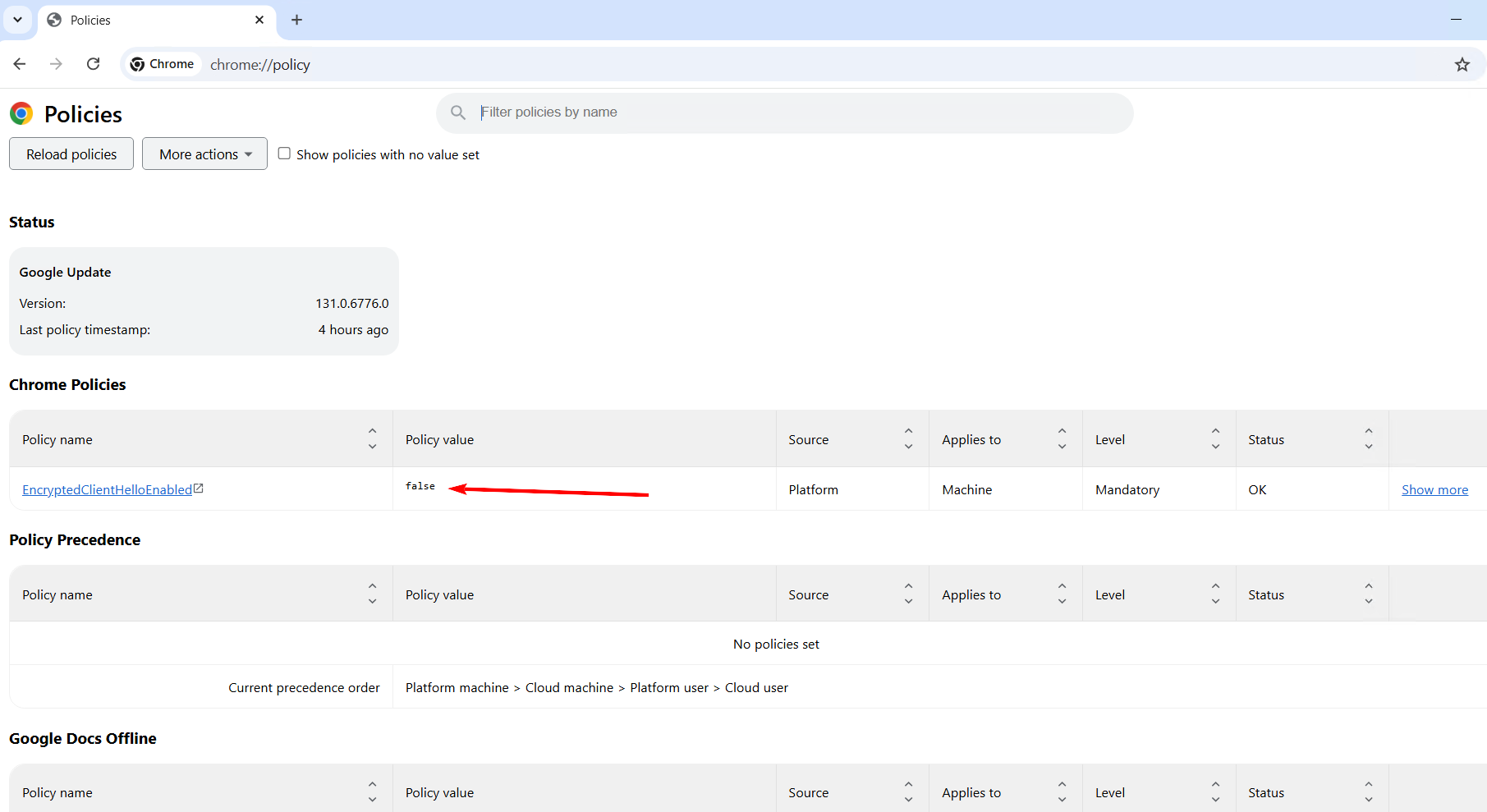
After this, the browser will show information indicating that the Encrypted ClientHello feature is disabled:
edge://policy/
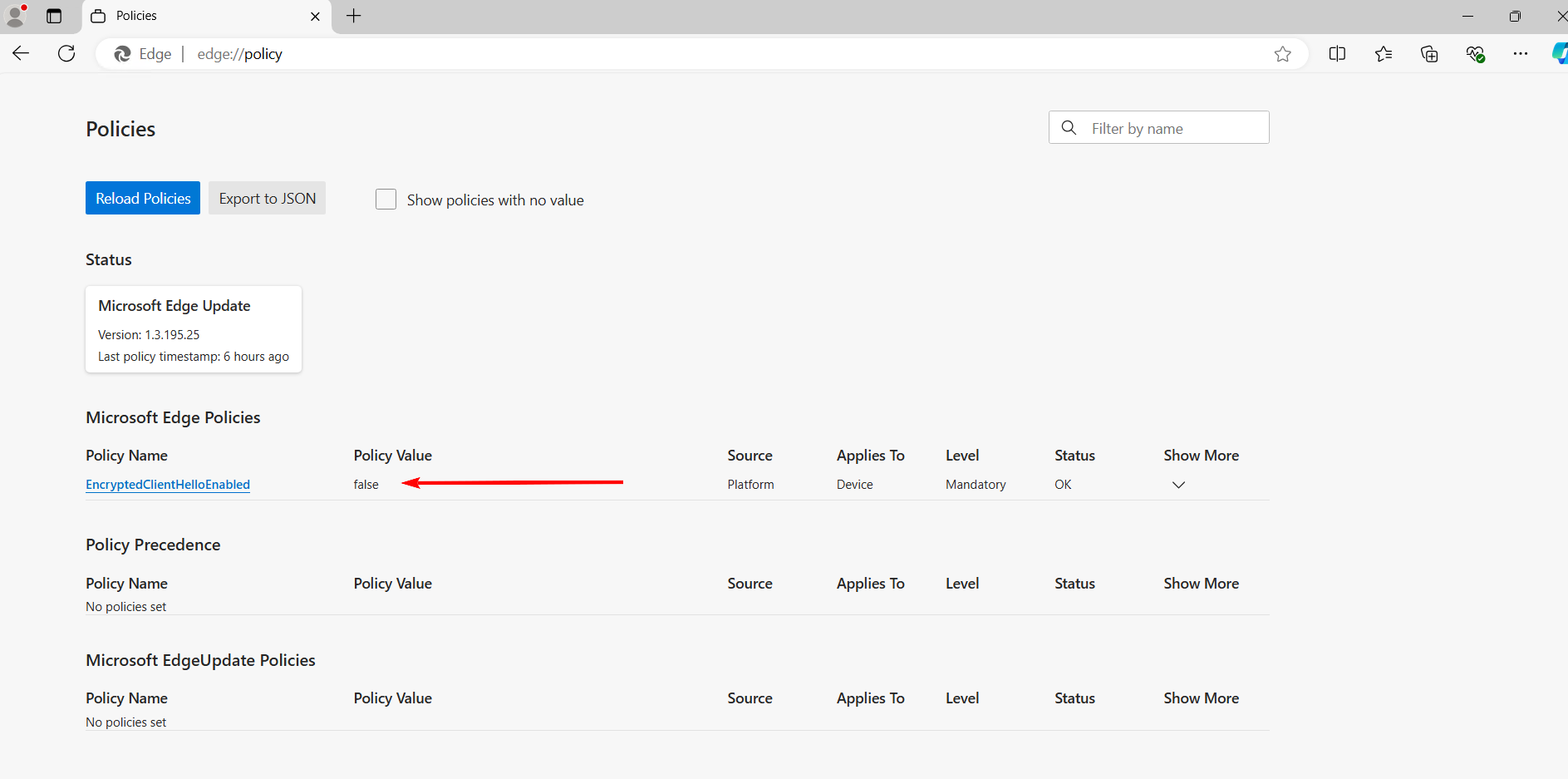
chrome://policy/