Case 4.3. Configuring an Exceptions List from Blacklists
The exceptions list protects subscribers from accidental blocking of important resources during the automatic import of WEB filter blacklists to DPI. The exceptions list consists of allowed resources that cannot be blocked by the blacklist.
Key features of working with the exceptions list:
- Manually created and maintained as one current exceptions list containing IPs and domains. All IPs and domains in this list cannot be blocked by WEB filter rules.
- This list is applied to all WEB filter rules, including the global, and the resources from it are excluded when blacklists are prepared for DPI upload.
- By default, the exceptions list is enabled for all clients. If necessary, it can be disabled for specific channels in the graphical interface.
- Disabling the exceptions list applies only to created WEB filter rules; it cannot be disabled for Global list entirely. Adjustments for Global list can only be made by editing the exceptions list itself, which requires removing specific domains.
Management via GUI
The list is managed in the WEB Filter section → Exceptions List. There are three options for adding resources to the list:
- Upload a prepared list from a file. Used for quickly handling simple, pre-prepared lists with many resources (domains or IPs). Supported formats include XLSX, CSV, and TSV, and multiple files can be uploaded simultaneously. After import, the number of items appears in the corner of the "Import from file" button.
The resource list should be in a single column. - Add resources one at a time. Useful when there are few resources, and file preparation isn’t needed. This mode allows for SN and SNI verification to enhance reliability. To verify, click Check after entering the resource.
When manually entering a resource, you can specify its type. By selecting the Auto type, the system will determine the resource type automatically. - Import resources. The most complex yet most reliable method, recommended for handling complex portals. Works with pre-prepared lists.
The import list file should be in txt format, containing three columns: Type, raw resource, validated resource, and columns separated by tabs.

Example file content:#Columns are tab-separated - Tab type_id resource_raw resource_validated URL google.com google.com SNI facebook.com *.facebook.com SNI x.com x.com URL bbc.com bbc.com
After adding a resource, a confirmation window will appear, also accessible via the Resources to Add button. The number of resources uploaded but not yet added to the Exceptions List appears in the button's corner.
Here, you can check the resource status, enable/disable and delete resources from the pending list. Once the list is prepared, click Add to List to add these resources to the exceptions list.
After adding resources to the exceptions list, all blacklists will regenerate, and the added resources will be added to the exceptions list.
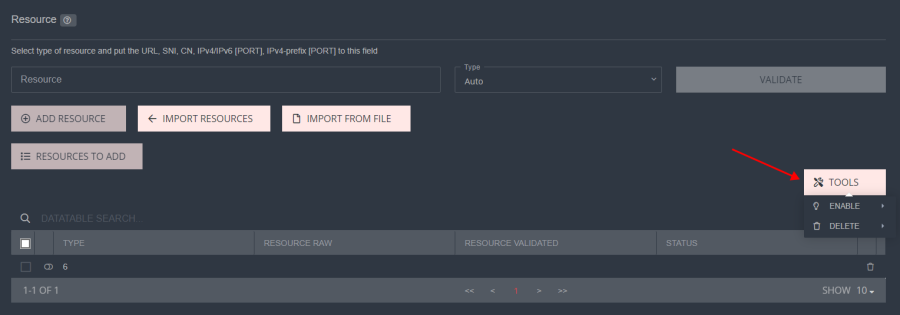
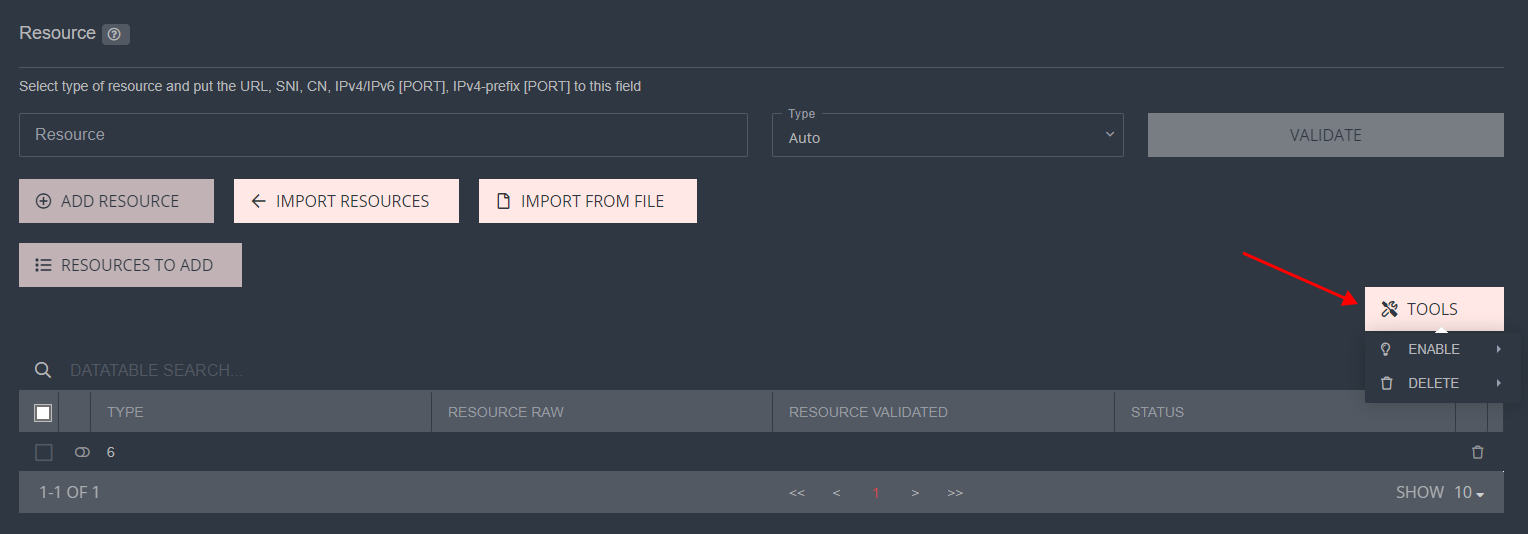
Use the Tools button in the prepared exceptions list to enable/disable selected resources, delete selected or all resources.
Disabling the exceptions list:
The exceptions list cannot be disabled for Global list; they are always applied together. However, it can be disabled for rules created in the WEB filter section if a particular channel does not require the application of the exceptions list. This can be done in the Profile Management → Channels section in the Exceptions List column.
