Table of Contents
Case 4.1. Setting up the Global Blacklist
Working in the GUI
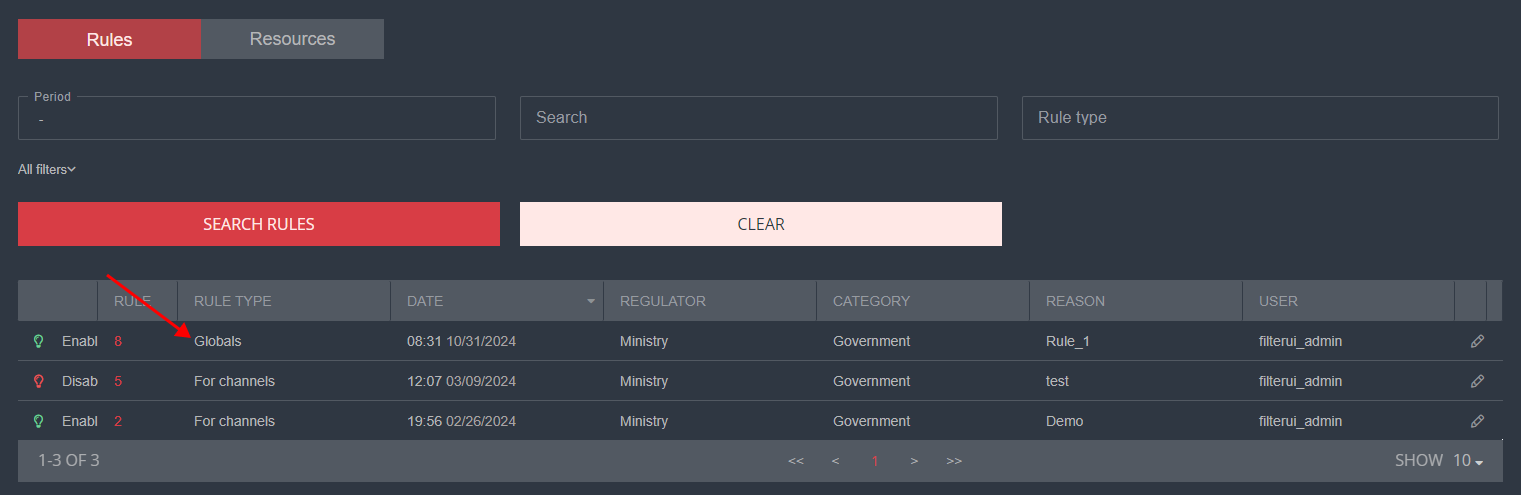
In the GUI, the Global List is located on the main page of the WEB Filter section. By clicking on its ID or the edit icon on the right, you can ONLY view the list contents. Editing is not available.
Operational Principle
The Global List is created by system administrators via the CLI.
Algorithm:
- A special script checks for updates to the blacklist every 10 minutes in the operator's personal account using a unique login and password. If changes are detected, data is loaded into the WEB Filter section in the GUI as rule 8.
Service settings, including update schedule, can be adjusted via CLI according to the instructions in Working in the CLI below. - After downloading the updated list, the exception list is applied, and the list is converted into a DPI format. The exception list can be edited via the GUI, with details on Case 4.3. Configuring an Exceptions List from Blacklists.
- The Global list is imported into the graphical interface as a rule. Although this rule is not editable, you can view the list of resources it contains.
Working in the CLI
Downloading blacklists and forming global lists (URL, SNI, CN, IP) for DPI is handled by the blacklistdl script, located in the /home/customername/blacklistdl directory on the virtual machine (ProxMox cluster VM web-lists).
The script is scheduled according to the /etc/crontab file and runs as a system service via cron. By default, it executes every 2 hours.
View cron:
crontab -l
Edit cron:
crontab -e
Generated lists (URL, CN, SNI, IP) for DPI are located in the /var/www/html/blacklists/global_list/ directory.
blacklistcn.dict - CN list
blacklist.dict - URL list
blacklistip.dict - IP list
blacklistsni.dict - SNI list
These lists are available via HTTP, and DPI automatically downloads them.