Case 3. Bandwidth Management: DSCP Rules. Policing for Sites, Channels, and Subscribers
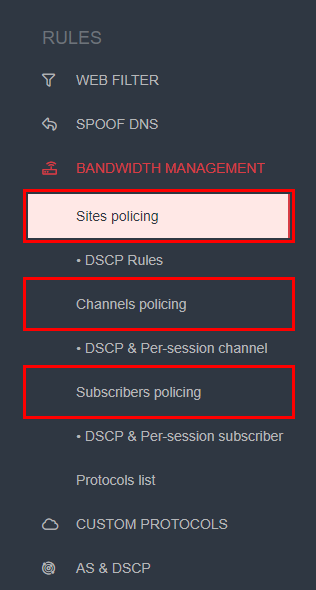
Policing configuration is managed within the following subsections of the Bandwidth Management section:
- Sites Policing — applies policing to traffic in the default channel (Default).
- Channels Policing — applies policing to traffic within a specific channel.
- Subscribers Policing — applies policing to traffic of a specific subscriber.
Policing is conducted by traffic classes (by default, 8 classes), defined in the Bandwidth Management → DSCP Rules section.
DSCP Rules are set globally for all traffic passing through DPI in the Bandwidth Management → DSCP Rules section.
For each channel and subscriber, global DSCP rules can be overridden in the Bandwidth Management → DSCP & Per-session Channel and Bandwidth Management → DSCP & Per-session Subscriber sections, with session policing applicable as described in Case 2. Applying Policies to Channels, Session Policing for Channels and Subscribers → Applying Session Policing to Multiple Channels.
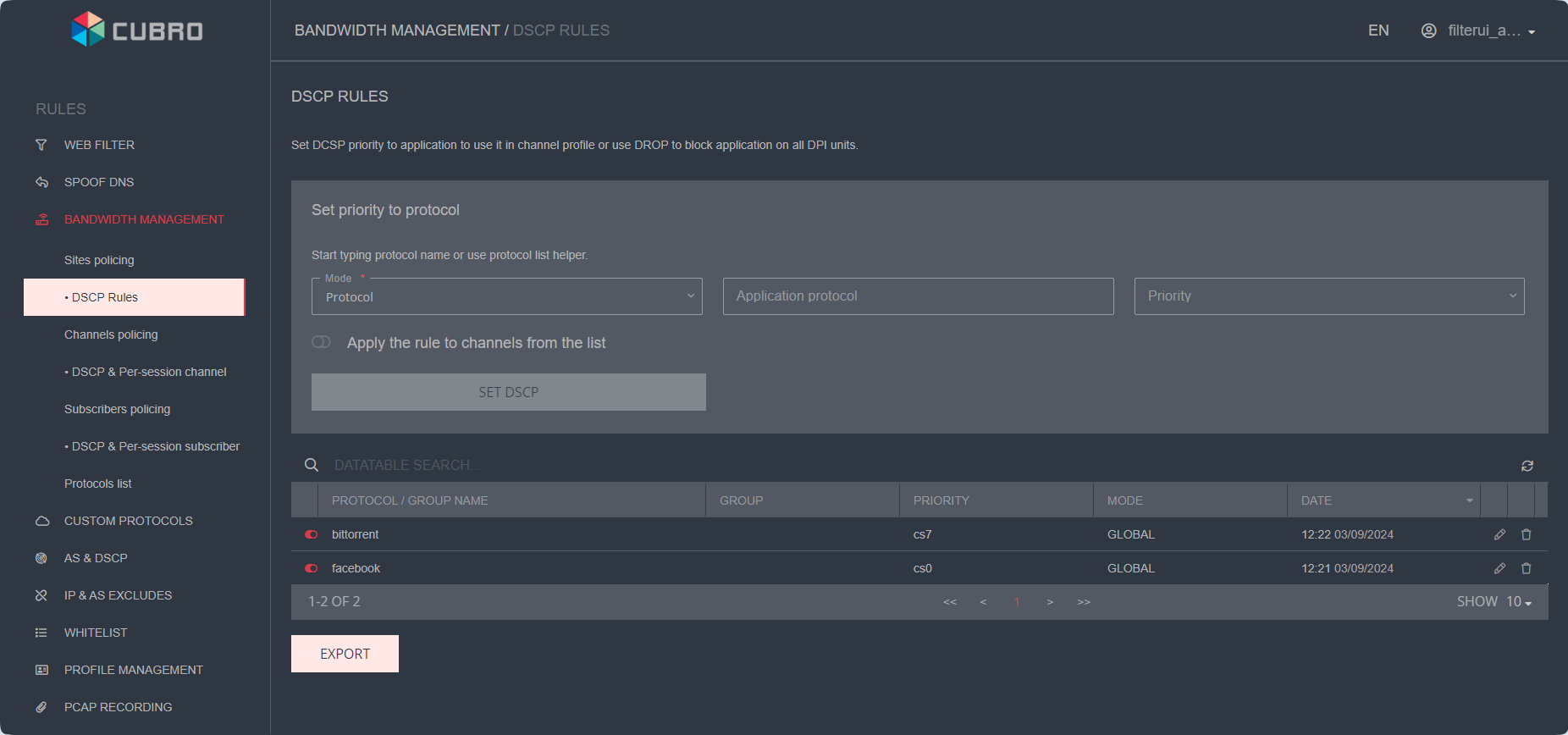
The DSCP Rules section allows you to assign a protocol to a specific traffic class from cs0 to cs7. This traffic class is then used in policing profiles assigned to channels and subscribers.
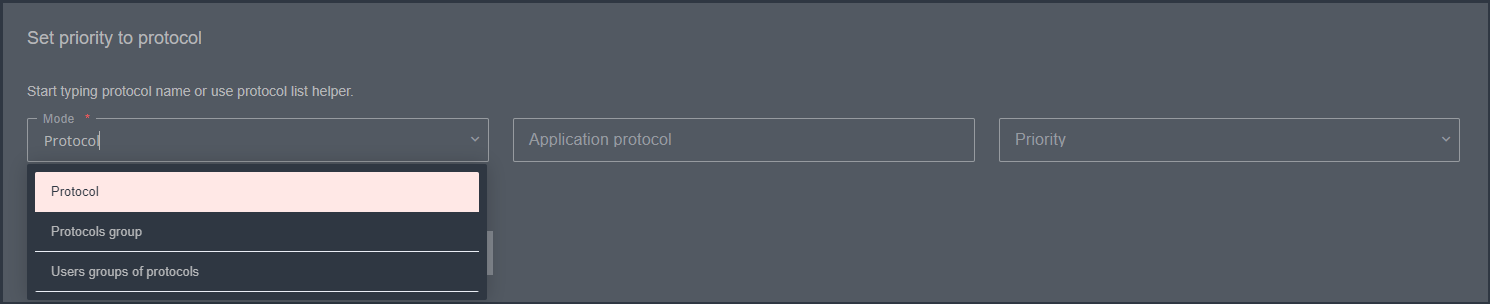
Marking Modes:
- Protocol — assigns a class/tag to each protocol individually
- Protocol Group — assigns a class/tag to built-in protocol groups
- Users Groups of Protocols — assigns a class/tag to custom protocol groups
The “Priority” field defines the traffic class or actions to be taken with this protocol:
- keep — retains the current priority value without modification (typically cs0)
- drop — drops the traffic, with no statistics transmitted
- cs0/cs7 — assigns a specific traffic class
- af11/af12…ef — assigns a specific traffic class and uses additional 3 bits for traffic marking
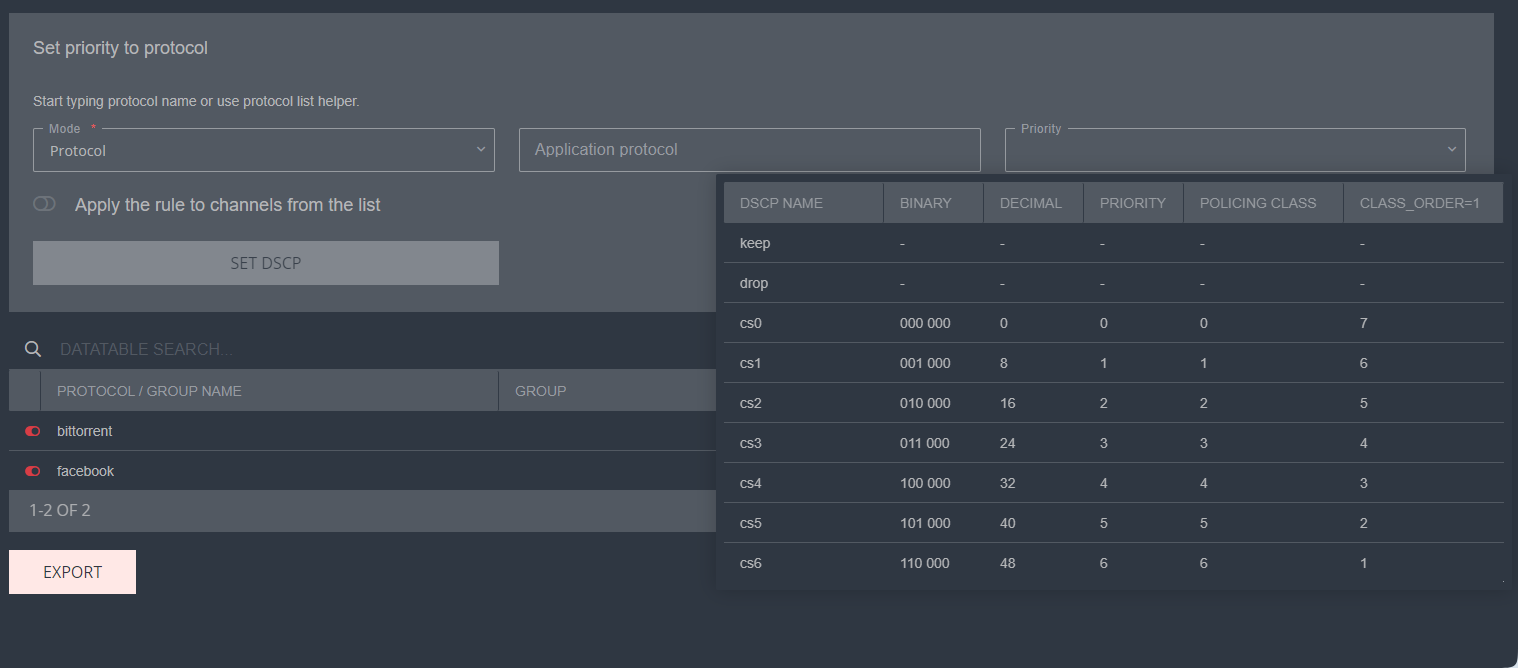
After configuring traffic classes, navigate to the Bandwidth Management → Channels Policing section, then to the desired channel.
In the opened editing window, select the type of policing mechanism; two policing mechanisms are available: TBF and HTB. Autocomplete can also be used.
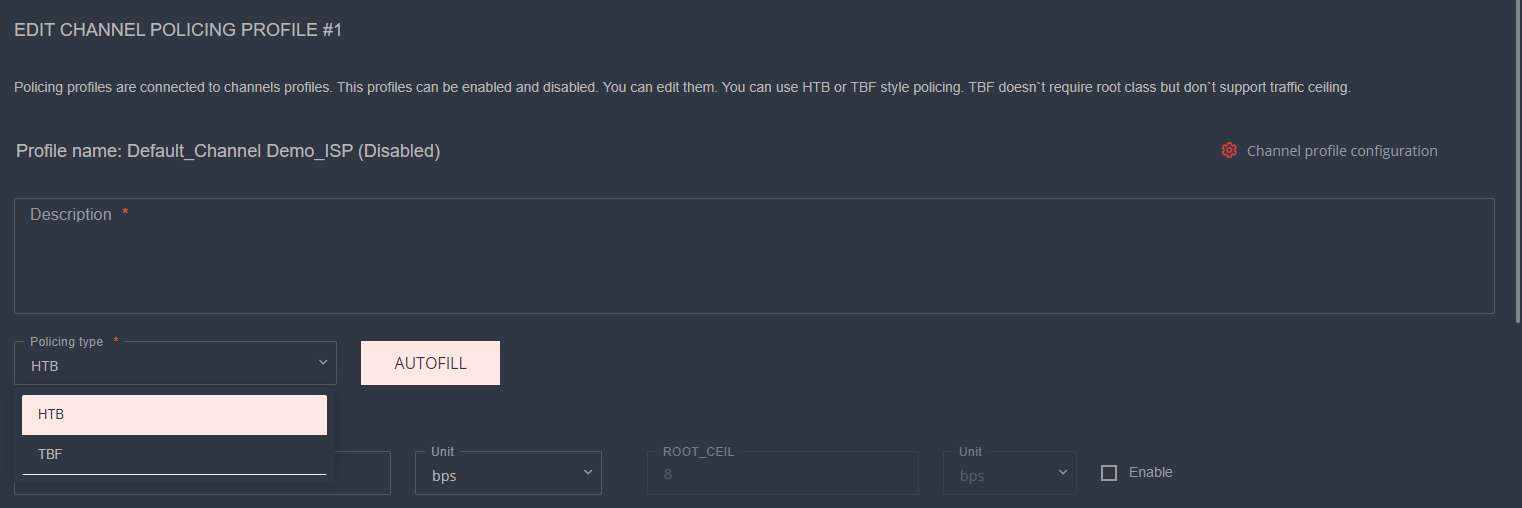
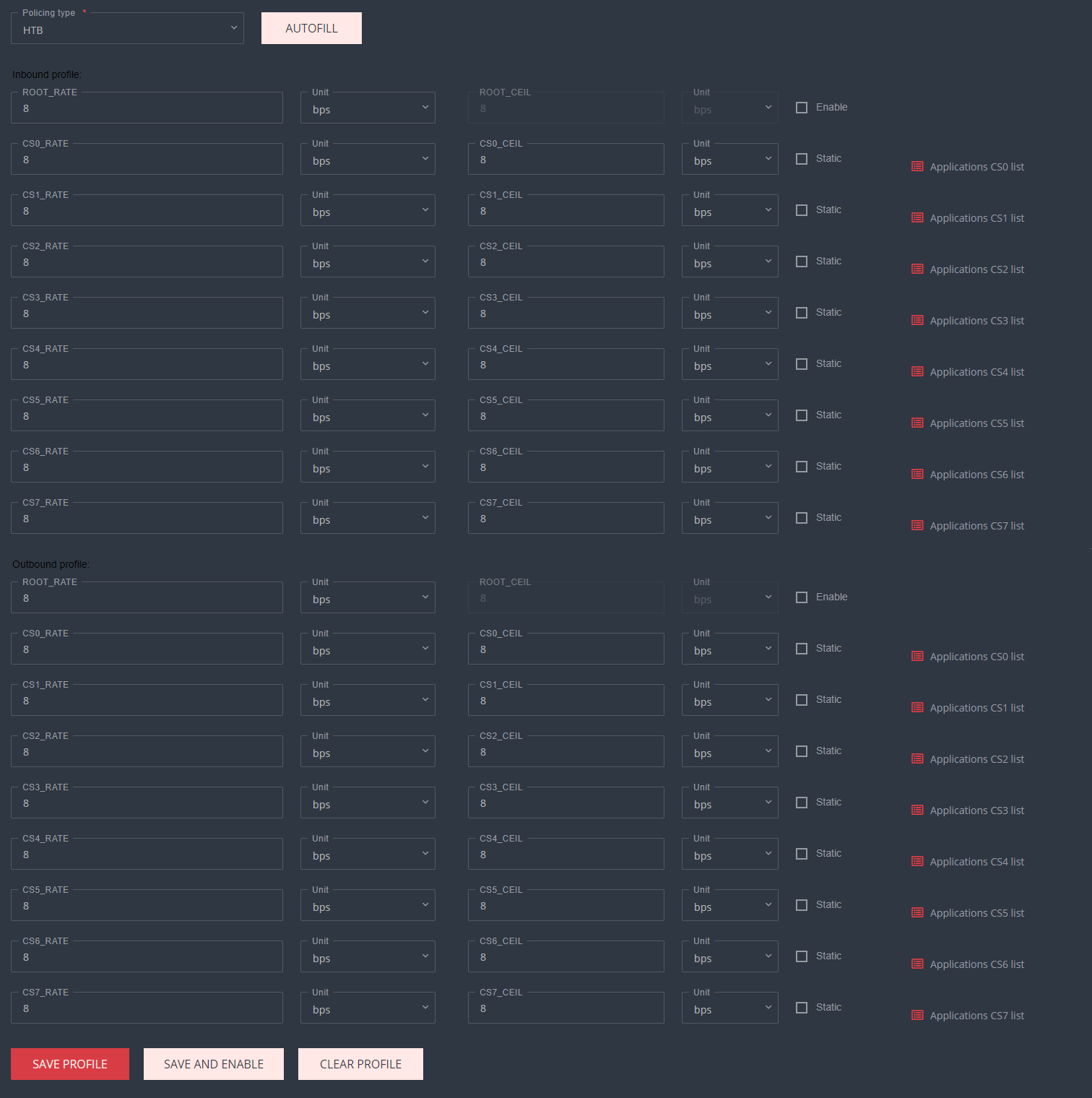
Enable the necessary classes according to the policing type.
HTB:
TBF:
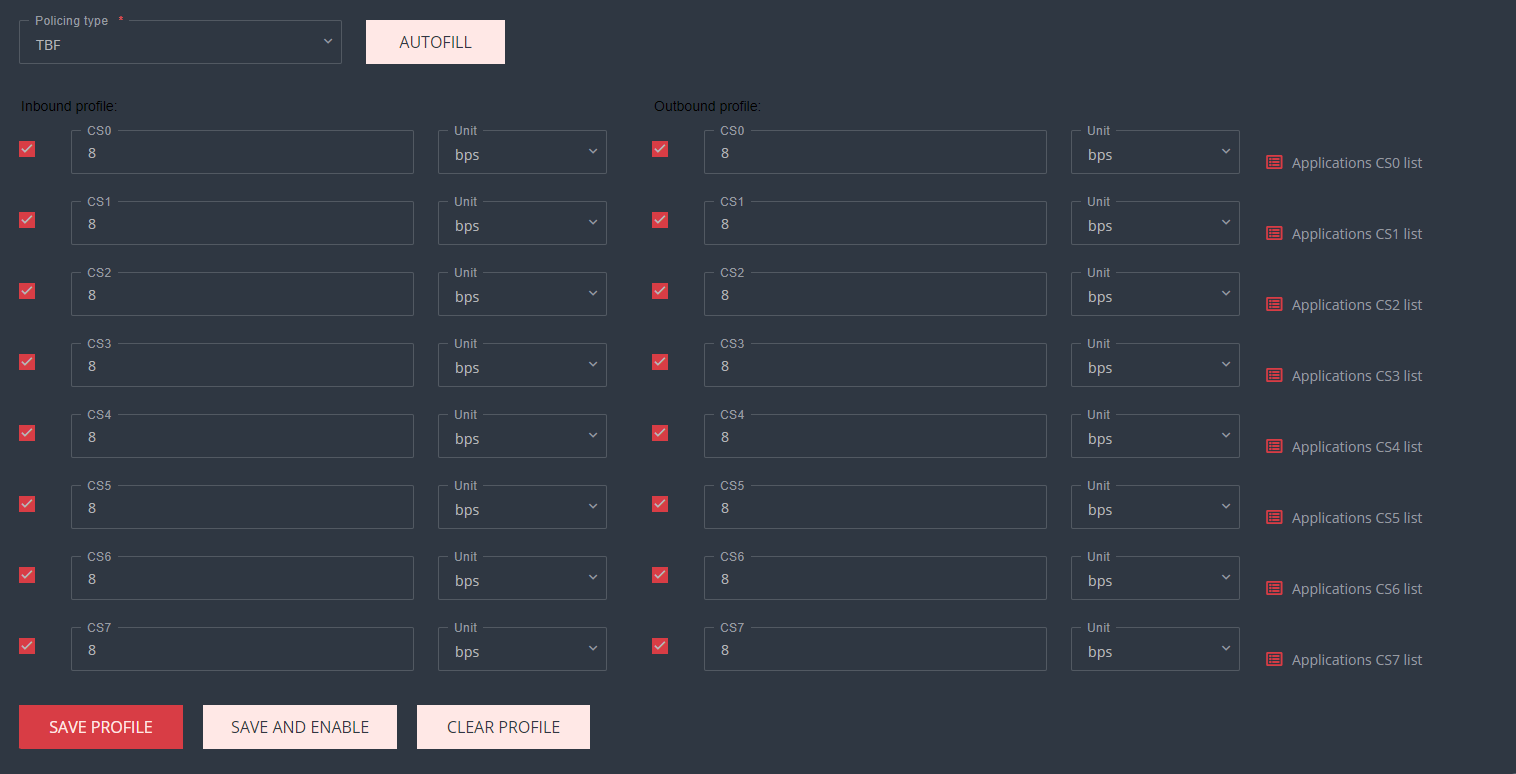
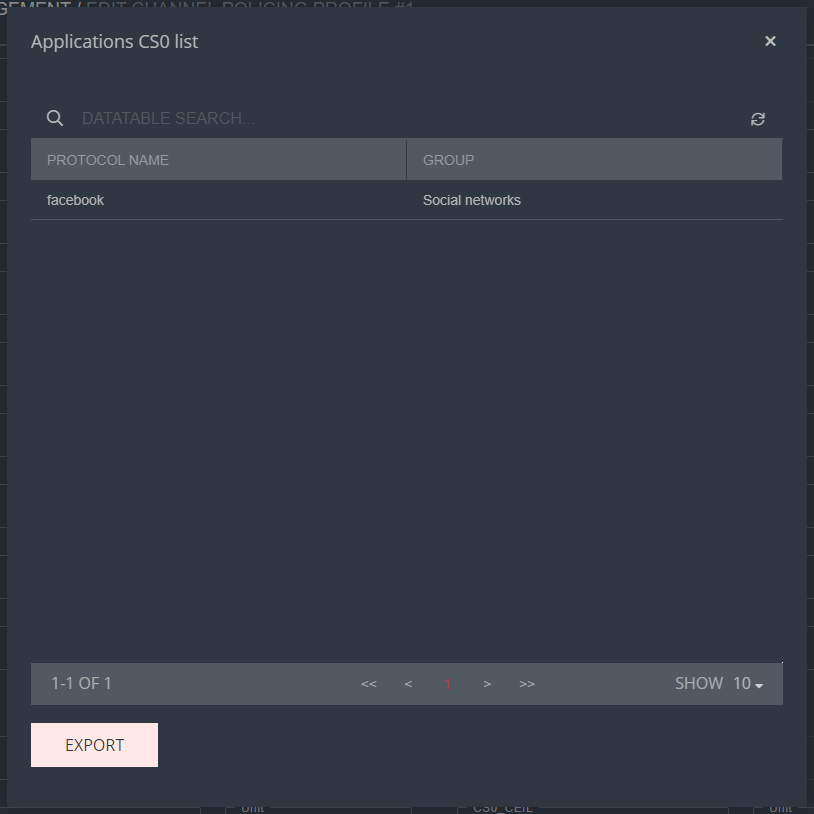
To view the list of protocols contained in each class, there’s no need to go back to the Bandwidth Management → DSCP Rules section. You can check this by clicking “Applications CS<number> list”: