Case 4.4. Creating a Channel without Filters (VIP Channel)
When filtering is applied to certain channels, a VIP channel can be created in the GUI — without the influence of policies, and a channel with unique rules — with minimal filtering using special policies.
In both cases, a new channel must be created with the client's IP/IP prefix. After creating the channel, the following policies can be managed:
- WEB filter: Global List and Custom List
- Exceptions List
- Class-based traffic policing
- Session policing
Creating a VIP Channel and a Channel with Unique Rules
Step 1. Creating a New Channel
The process is described in Section 2.2. Profile “Channel” of the scenario “Creating Subscriber Profiles for Applying Filtering and Policing Lists”.
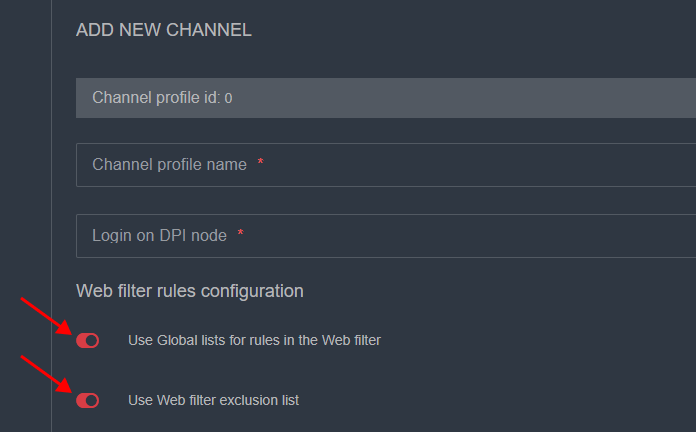
By default, no custom rules are applied to the new channel, but the Global and the Exceptions List are enabled.
Step 2. Managing Policies
For VIP Channel:
To create a channel without any influence, the Global List and the Exceptions List need to be disabled.
For Channel with Unique Rules:
Apply the necessary policies to the channel.
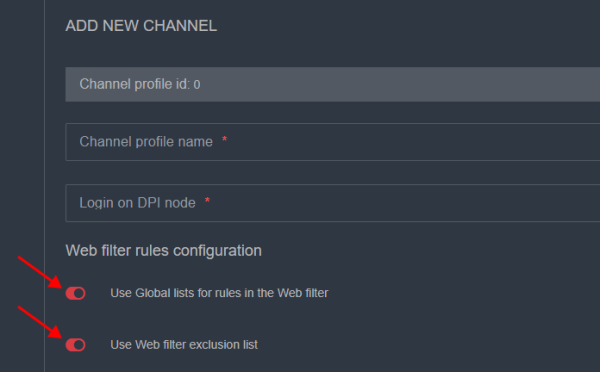
- The Global List and the Exceptions List can be disabled or enabled when creating the channel:
- The process of creating a blacklist is described in Case 4.2. Configuring and Applying a Custom Blacklist.
- The process of configuring session policing is detailed in Case 2. Applying Policies to Channels, Session Policing for Channels and Subscribers.

Step 3. Completing the Settings
Complete the remaining channel settings from Step 1 and save it.